


Description
Download Text Bomb APK – Prank, Android, Free, App, Message Bomb
Overview
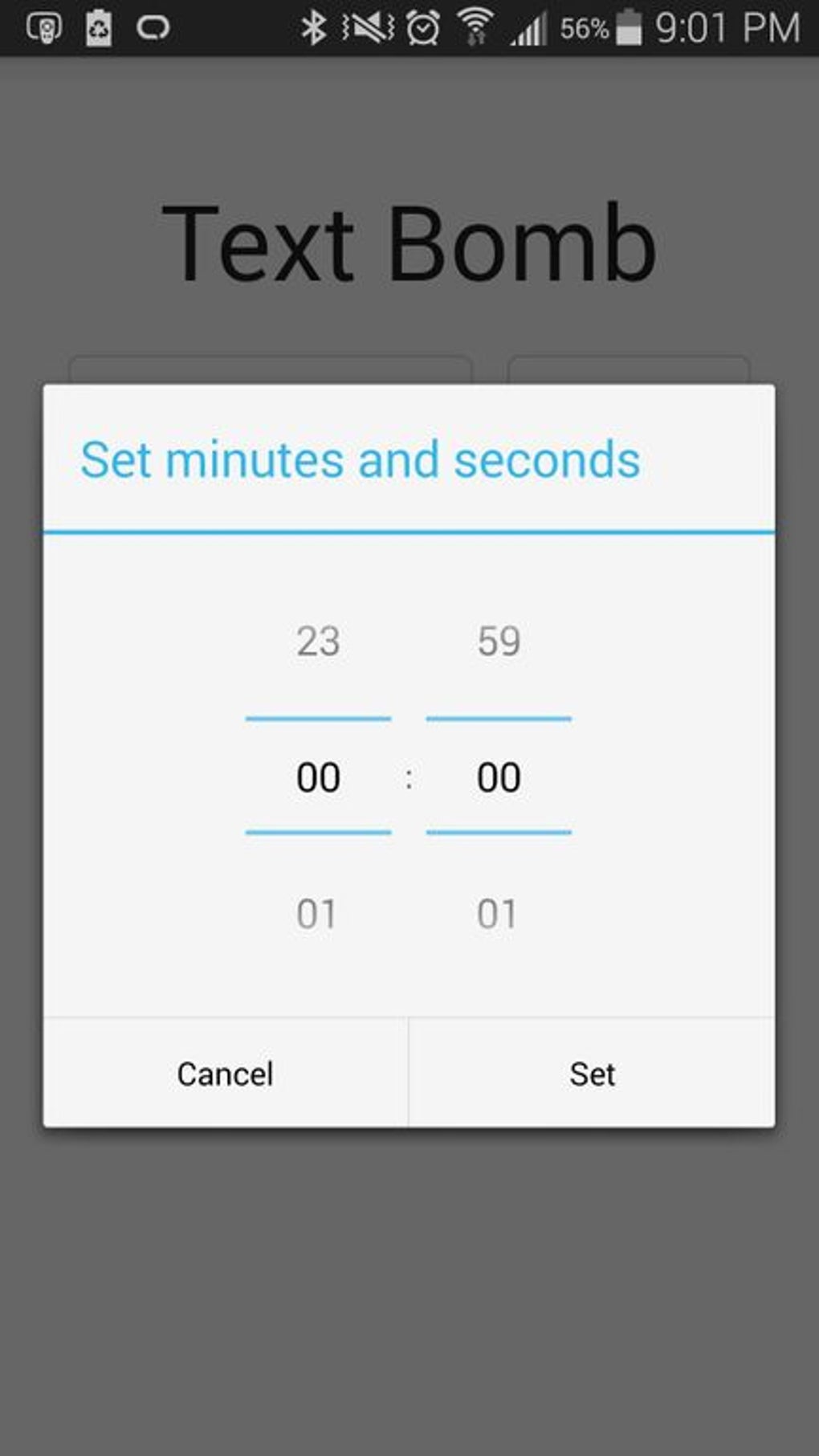
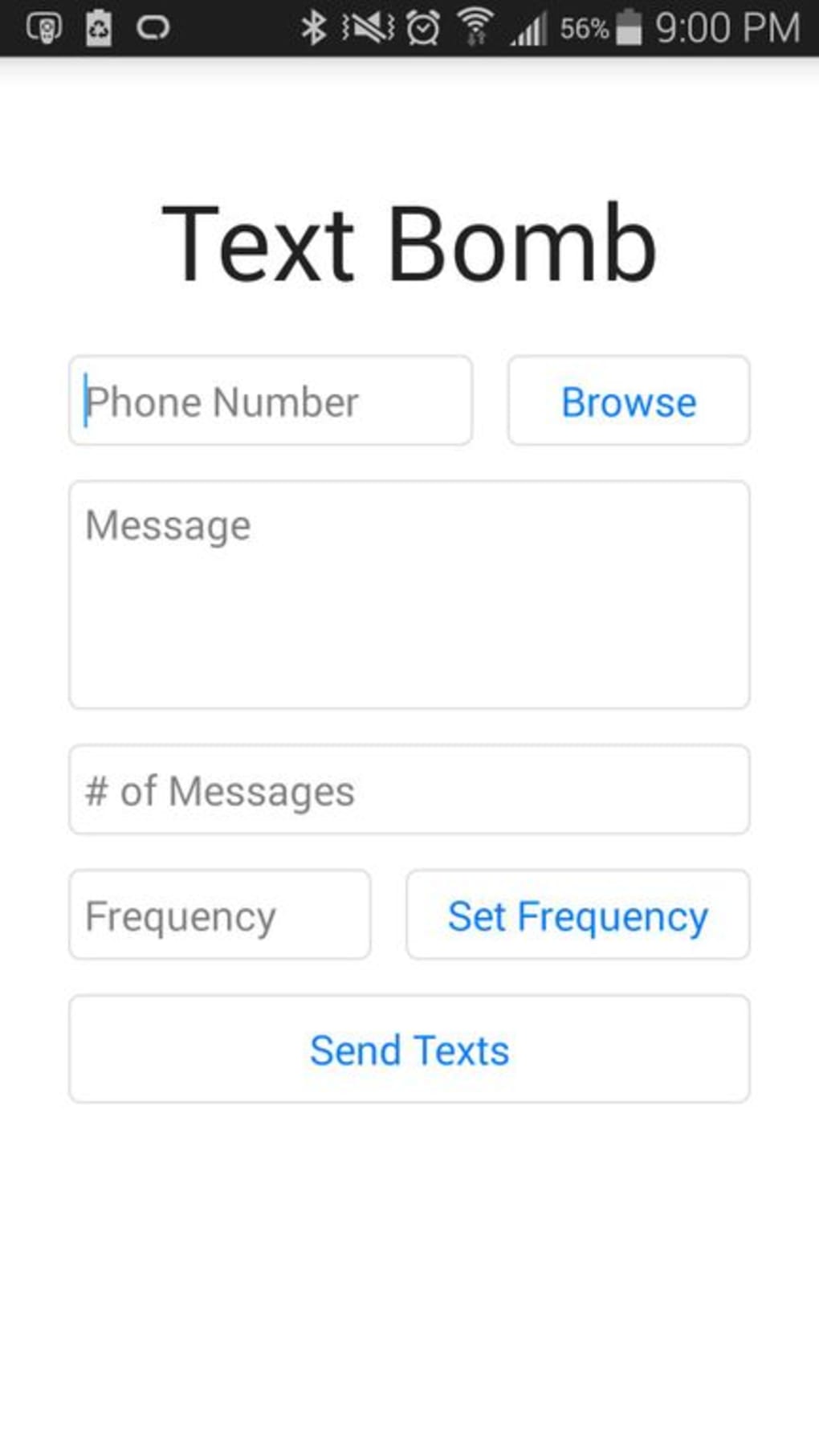
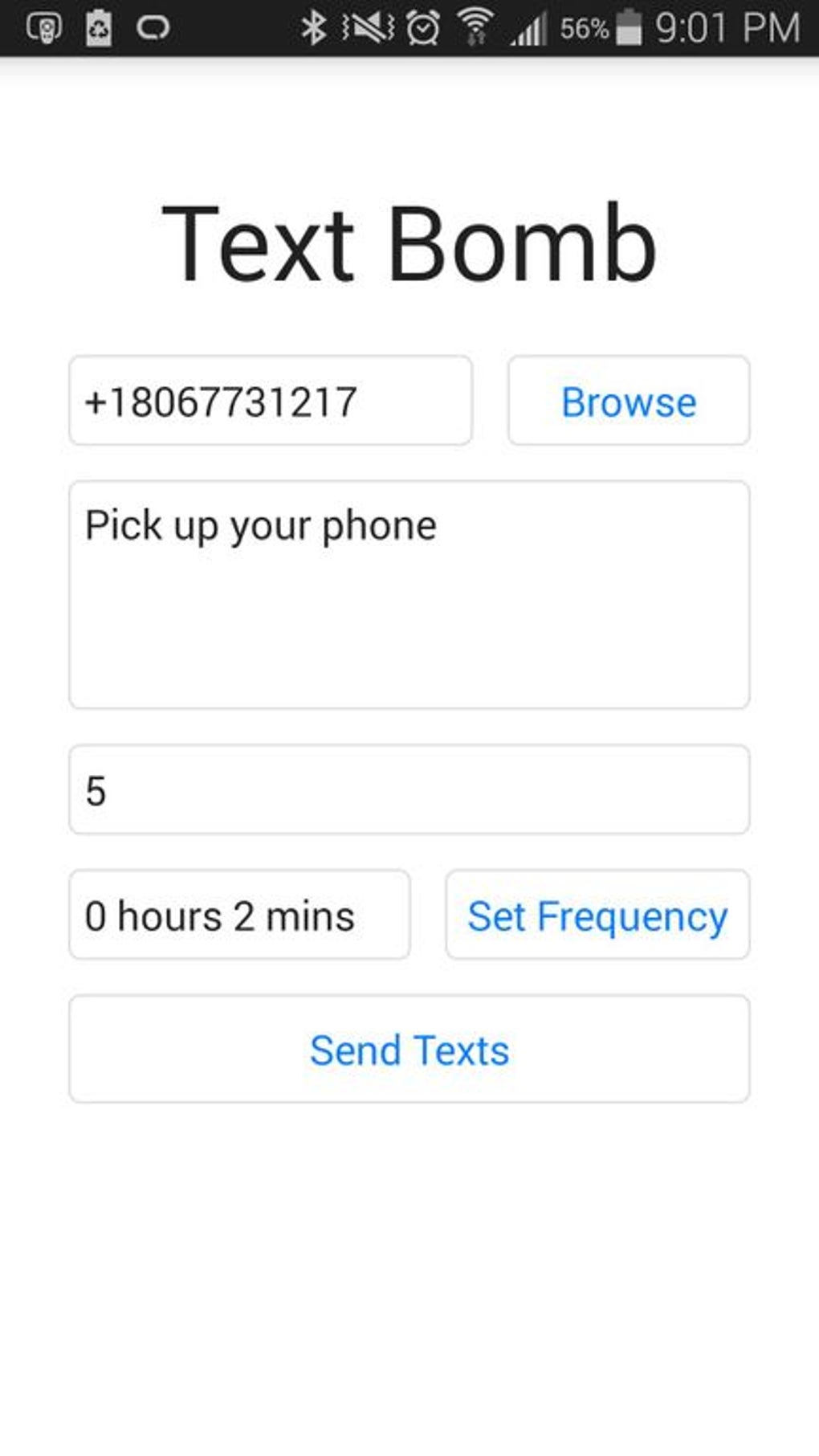
Text Bomb is a free Android application designed for users seeking a lighthearted way to prank friends and family through automated messaging. The app enables users to send a large volume of messages to a selected contact from their phone’s contact list. By setting a specific number of repetitions and a delay interval in minutes and seconds, users can automate the message-sending process without manual input for each message. This functionality makes it ideal for practical jokes, especially during social gatherings or digital pranks. The developer, ericolszewski, has focused on simplicity and accessibility, ensuring the app is easy to use even for those unfamiliar with technical tools. While the app’s primary purpose is entertainment, it may also be used to test notification systems or evaluate message delivery behavior in controlled environments. The application does not include advanced features such as message scheduling, content customization, or encryption, which aligns with its intended use as a straightforward prank tool. The developer did not provide additional context about the app’s development background or broader use cases beyond pranks.
Key Features & Capabilities
- Automated Message Sending – Users can input a message and specify how many times it should be sent to a chosen contact, eliminating the need for repetitive manual typing.
- Customizable Delay Settings – The app allows users to set delays in minutes and seconds between message sends, enabling control over the pace of the message barrage.
- Simple Contact Integration – Messages are sent to contacts directly from the phone’s contact list, streamlining the selection process.
- User-Friendly Interface – The app features a minimalistic design with straightforward input fields and buttons, reducing the learning curve for new users.
- Free to Download and Use – No in-app purchases or subscription fees are required, making it accessible to all Android users.
These features support real-world use cases such as pranks during parties, testing how quickly a recipient receives multiple messages, or demonstrating the impact of message flooding in a controlled, non-malicious way. The app’s functionality is limited to basic messaging automation, which ensures stability and reduces the risk of unintended behavior. However, users should exercise caution to avoid unintended disruptions to others’ communication experiences.
User Interface, Workflow & Performance
The user interface of Text Bomb is designed with simplicity in mind, featuring a clean layout with clearly labeled input fields for the message, recipient selection, repetition count, and delay settings. Navigation is linear and intuitive, guiding users through the setup process step by step. The workflow begins with selecting a contact, entering the desired message, setting the number of repetitions, and configuring the delay interval. Once configured, the app initiates the message-sending sequence with minimal user interaction. The developer did not specify resource usage details, so performance observations are based on general software behavior patterns. The app is expected to operate efficiently under normal conditions, consuming minimal CPU and RAM during execution. Stability appears to be prioritized, given the limited scope of functionality. However, the app may cause temporary notification overload on the recipient’s device, which could affect their ability to manage other messages. No performance benchmarks or system behavior data were provided.
Compatibility & System Requirements
Text Bomb is designed for Android devices and is available as an APK file for direct installation. The developer did not specify the minimum Android version required for compatibility. Installation size information was not provided, so exact file size and storage requirements remain unknown. Hardware requirements were not listed, meaning users should ensure their device supports APK installation and has sufficient memory to run the application. The app does not appear to require root access or special permissions beyond standard messaging and contact access. Platform compatibility information is limited, and users should verify device compatibility before downloading. The developer did not provide details about support for tablets, wearables, or other Android-based devices.
Pros and Cons
Pros
- Completely free to download and use
- Simple, intuitive interface suitable for all users
- Automated message sending reduces manual effort
- Customizable delay settings for controlled message delivery
- Direct integration with phone’s contact list
Cons
- App functionality is limited to basic message automation
- No advanced features such as message templates or scheduling
- Developer did not provide system requirements or compatibility details
- May cause unintended disruption to recipients’ messaging experience
- APK installation may pose security concerns if downloaded from untrusted sources
FAQ Section
Is Text Bomb available for iOS devices?
Text Bomb is an Android-only application. There is no official version available for iOS devices.
Do I need to grant special permissions to use the app?
The app requires access to your contacts and messaging functions to operate. Users should review and approve the requested permissions during installation.
Can I use Text Bomb without installing an APK?
As of now, the app is distributed as an APK file. It is not available on the Google Play Store, so users must download and install the APK manually.
Is Text Bomb safe to use?
While the app is free and functional, users should exercise caution when sending large volumes of messages. It may be perceived as disruptive or annoying by recipients. Additionally, installing APKs from third-party sources carries inherent security risks.
Does the app support scheduled message delivery?
Text Bomb does not include a scheduling feature. Messages are sent immediately after configuration with a set delay interval.
Final Thoughts
Text Bomb delivers a focused, no-frills solution for users looking to engage in playful digital pranks. Its simplicity, free access, and straightforward automation make it an appealing choice for casual users. While it lacks advanced features and detailed system specifications, its core functionality is reliable and easy to use. The app is best suited for entertainment purposes and should be used responsibly to avoid unintended annoyance. For those seeking a lightweight, free Android tool to send multiple messages in a controlled manner, Text Bomb offers a practical solution. Download Text Bomb now.
Guides & Tutorials for Text Bomb APK
How to install Text Bomb APK
- Click the Preview / Download button above.
- Once redirected, accept the terms and click Install.
- Wait for the Text Bomb APK download to finish on your device.
How to use Text Bomb APK
This software is primarily used for its core features described above. Open the app after installation to explore its capabilities.
User Reviews for Text Bomb APK 0
No reviews found





